
Free FAQ Generator Tool for Blog Posts & SEO

Use this free FAQ Generator to create a detailed AI prompt, guide better FAQ answers, and format the finished section into clean WordPress HTML.
A strong FAQ section should do more than fill space. It should answer real reader questions, cover related subtopics, support semantic SEO, and create natural internal linking opportunities.

Create a Powerful AI Prompt for Better Blog FAQs
Enter your keyword, title, and meta description. This tool helps you generate a detailed AI prompt for high-quality FAQs, then format the finished answers into clean WordPress HTML.
1Enter Your Blog Post Details
These inputs will shape the AI prompt. The better the keyword, title, and meta description, the stronger the generated prompt will be.
Related Keyword & Topic Suggestions
These topic chips will be included in the AI prompt to help create more relevant FAQ questions without keyword stuffing.
2Choose Your FAQ Prompt Settings
Use these settings to control what kind of FAQ prompt the tool creates.
Your AI FAQ Prompt
Copy this prompt into ChatGPT, Claude, Gemini, or your preferred AI tool. Then paste the AI-generated FAQs into the formatter section below.
3Paste AI FAQs & Format for WordPress
After the AI gives you FAQ questions and answers, paste them here. The formatter will turn them into clean heading and paragraph HTML.
Formatted FAQ HTML
Preview the parsed FAQs, then copy the HTML output into your WordPress post.

Watch Instructional video HERE

Why FAQ Sections Matter for SEO and Readers
A good FAQ section can make a blog post more useful, more complete, and easier for readers to navigate. It gives you a place to answer the extra questions someone might still have after reading the main article.
That matters because most readers do not think in perfect article outlines. They come to your page with follow-up questions, doubts, comparisons, objections, and little details they want clarified before they move on.
A weak FAQ section usually feels like filler. It repeats the same keyword too many times, asks questions nobody would naturally ask, and gives thin answers that add nothing to the page.
A strong FAQ section does the opposite. It helps readers understand the topic better, covers related subtopics naturally, and gives you a chance to support your wider content cluster with useful internal links.
In other words, FAQs should not be treated as an afterthought. They can help turn a decent blog post into a more helpful resource.
What This Free FAQ Generator Tool Does
This free FAQ Generator tool helps you create better FAQ sections for blog posts without relying on awkward, template-based questions.
Instead of pretending a basic browser tool can magically understand your topic, this tool creates a detailed AI prompt based on your article details. You can then paste that prompt into ChatGPT, Claude, Gemini, or another AI tool to generate better questions and answers.
The workflow is simple:
- Enter your primary keyword.
- Add your blog post title.
- Add your meta description or short article summary.
- Generate related topic chips.
- Add internal links you want the AI to consider.
- Generate a detailed AI FAQ prompt.
- Paste the prompt into your preferred AI tool.
- Paste the AI response back into the formatter.
- Convert the finished FAQs into clean WordPress HTML.
The tool also lets you choose the final FAQ heading, question format, and answer format before copying the HTML into your blog post.
That means you are not just generating questions. You are creating a structured FAQ workflow that helps with reader experience, semantic coverage, internal linking, and clean publishing.
📢 Shareable Insight
“AI does not replace good content strategy. It works best when you give it context, direction, and clear rules instead of expecting magic from a lazy one-line prompt.”
👉 Click to Tweet
Why This Tool Uses AI Prompting Instead of Fake FAQ Automation
This tool could have been built as a simple FAQ generator that chops up your keyword and throws it into question templates.
But that usually creates poor results.
You end up with questions that sound robotic, repetitive, or just plain weird. The tool might technically generate FAQs, but the output often needs so much editing that it defeats the purpose.
AI is much better at understanding context, reader intent, objections, comparisons, and natural wording. However, AI still works better when you give it a strong brief.
That is the real purpose of this tool.
It does not try to fake intelligence with JavaScript. It helps you give AI a better prompt, then formats the finished output into WordPress-ready HTML.
That makes the tool more honest and more useful.
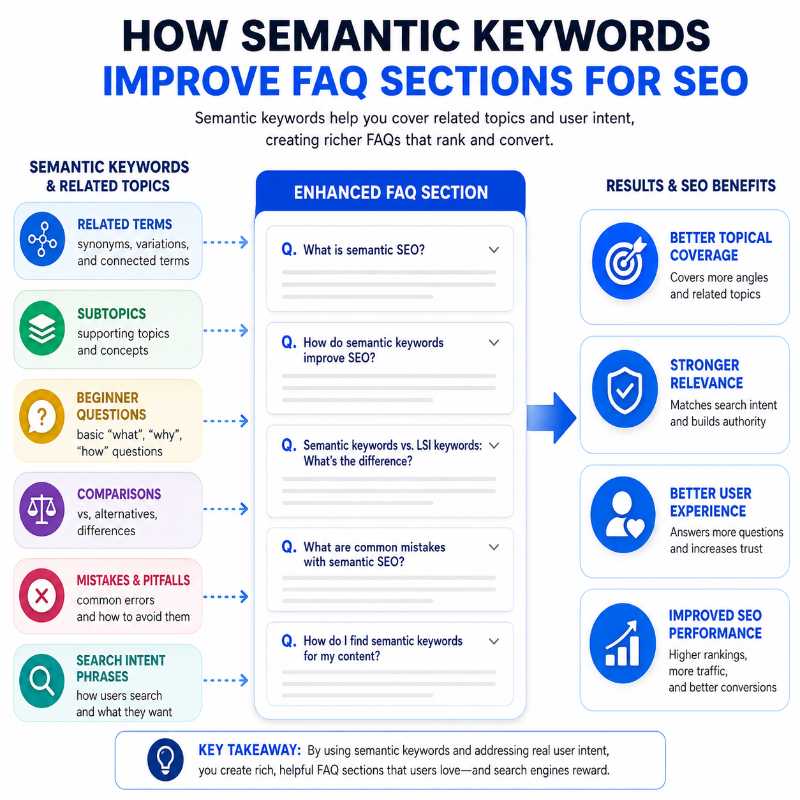
How Semantic Keywords Improve FAQ Sections
Semantic keywords are related words, phrases, questions, and subtopics connected to your main keyword.
For example, if your article is about dog training, related topics might include beginner commands, common mistakes, leash training, consistency, crate training, or training progress.
You do not need to repeat the exact same keyword in every FAQ question. In fact, that can make the section sound keyword-stuffed and unnatural.
A better FAQ section uses related ideas to answer the broader questions around the topic.
This can help you cover:
- beginner questions
- practical steps
- common mistakes
- comparisons
- objections
- troubleshooting questions
- next-step questions
That gives your article more topical depth without making it feel forced.
The related topic chips in this tool are designed to help shape the AI prompt. They give AI more context so it can create FAQs that feel connected to the article, rather than generic questions that could appear on any page.
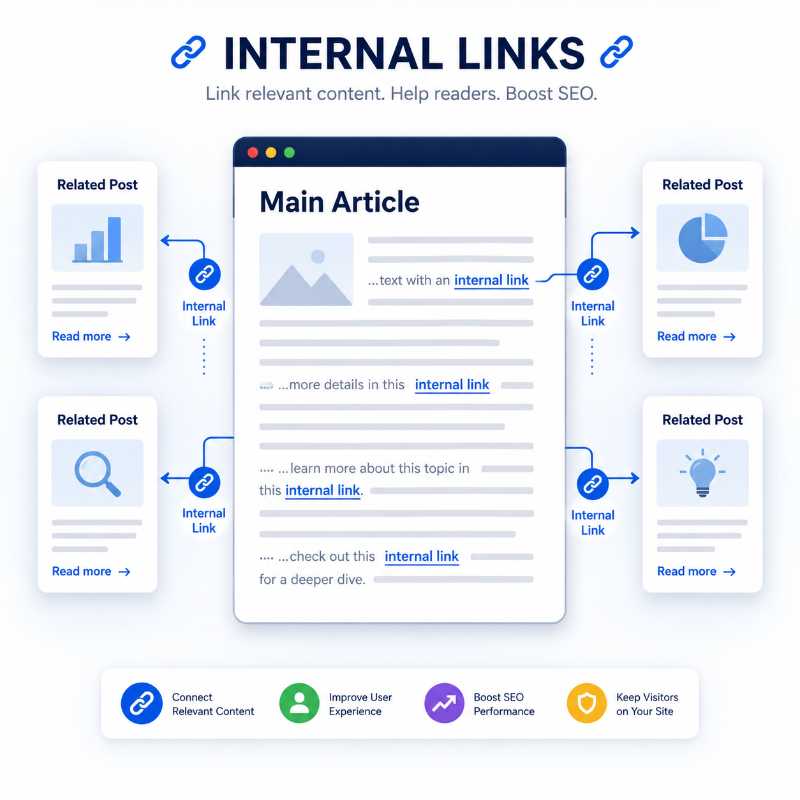
How Internal Links Make FAQs More Useful
Internal links help connect related content across your website. They guide readers to deeper resources, supporting articles, tutorials, reviews, tools, or next-step pages.
FAQ sections can create natural internal linking opportunities because many questions point toward deeper explanations.
For example, if one FAQ briefly explains common dog training mistakes, it may naturally link to a full article about dog training mistakes. If another FAQ mentions basic commands, it may link to a dedicated guide about those commands.
This tool lets you add internal links for AI to consider when writing the FAQs.
The recommended format is:
Example:
You can also paste URL-only links if the slug is clear, such as:
However, vague URLs like this are not useful by themselves:
If the slug does not explain the topic, add a title or topic clue before the URL. Otherwise, AI has no reliable way to know what the page is about.
That said, FAQs are not always the best place for every internal link.
In many cases, a contextual link in the main body of the article is stronger than a link buried in the FAQ section. That is why my internal linking workflow often starts with the main article body first. If the most natural placement is higher up in the post, that is usually where the link should go.
This is where my free Internal Linking Tool can also help. It can review a post and suggest better contextual link placements. In some cases, it may be better to move a link out of the FAQ section and into the main content where it supports the reader more naturally.
So the best workflow is often:
- Use contextual internal links in the main body where they fit naturally.
- Use the FAQ section for additional helpful links only where they make sense.
- Avoid forcing every related link into the FAQs.
That keeps the article cleaner, more useful, and less spammy.
How to Use the Free FAQ Generator Tool
The tool is designed to keep the process simple, even though the prompt it creates is detailed.
Here is the basic workflow.
Step 1: Enter Your Blog Post Details
Start by entering the main details for your article:
- primary keyword
- blog post title
- meta description or article summary
These fields help the tool understand what your blog post is about.
The primary keyword gives the AI the main topic. The title gives it the angle. The meta description gives it a short summary of the article’s purpose.
The better these inputs are, the better the generated prompt will be.
Step 2: Generate Related Topic Chips
Next, click the button to generate related topic chips.
These chips are not meant to be stuffed into every answer. They simply give the AI more topical context.
The goal is to help AI think beyond the exact keyword and include related questions, supporting ideas, and semantic variations.
This can help the FAQ section feel more natural and complete.
Step 3: Add Internal Links You Want AI to Consider
If you have related blog posts, tools, reviews, or supporting pages, paste them into the internal links box.
Use this format where possible:
Post Title | URL
This gives AI both the page topic and the destination URL.
If you only paste a URL, the tool will try to infer the topic from the slug. That works when the slug is clear, but it will not work well with vague URLs.
You do not need to add internal links every time. However, if you are building a content cluster, this feature can save a lot of time.
Step 4: Generate the AI FAQ Prompt
After your article details and optional internal links are ready, generate the AI prompt.
The prompt tells AI to create useful FAQ questions and answers while considering:
- search intent
- semantic keywords
- topical authority
- reader questions
- internal linking opportunities
- keyword stuffing prevention
- duplicate question avoidance
- answer quality
- WordPress formatting structure
This is much stronger than simply typing, “Write FAQs for this blog post.”
Step 5: Paste the Prompt Into Your AI Tool
Copy the generated prompt and paste it into ChatGPT, Claude, Gemini, or another AI writing tool.
The AI should return FAQs in a structured format using:
Question:
Answer:
Internal link used:
It should also include an internal link usage summary at the end. That summary helps you see which links were used, which links were not used, and where unused links might fit elsewhere in the article.
Step 6: Paste the AI Response Back Into the Formatter
Once AI gives you the FAQ response, copy the full output and paste it into the formatter section of the tool.
The formatter reads the structured response and extracts the questions and answers.
It also detects the internal link information and converts the finished FAQ section into clean HTML.
The internal link summary is useful for your review, but it is not included in the final HTML output.
Step 7: Copy the WordPress HTML
Before copying the final HTML, choose your formatting options.
You can select:
- FAQ section heading text
- H2 or H3 for the main FAQ heading
- H3, H4, H5, or paragraph strong for questions
- paragraph, paragraph strong, H3, H4, or H5 for answers
For most blog posts, I recommend using an H2 for the main FAQ heading, H3 or H4 for questions, and paragraph text for answers.
Once the preview looks right, copy the final WordPress HTML and paste it into your blog post.
📢 Shareable Insight
“A good FAQ section should answer real reader questions, not just repeat keywords in a different order to make the article look longer.”
👉 Click to Tweet
Best Practices for Writing Better FAQs
A good FAQ section should make the post more useful, not just longer.
Here are a few simple rules to follow.
Do not keyword-stuff the questions. It is fine to use the main keyword where it sounds natural, but you do not need to force it into every FAQ.
Do not ask questions nobody would actually ask. Every FAQ should answer a real reader concern or clarify something useful.
Avoid duplicate questions. If two questions would have almost the same answer, combine them into one stronger FAQ.
Keep answers specific. Vague answers do not help readers and do not add much value to the page.
Use internal links only where they fit naturally. A link should help the reader go deeper, not interrupt the answer.
Review AI output before publishing. AI can produce strong drafts, but you still need to check accuracy, tone, formatting, and relevance.
If your post includes screenshots, diagrams, or tutorial images, you can also keep the page lighter before publishing with the Browser Based Image Compressor.
Use FAQs to support the article, not replace it. The main content should do the heavy lifting. The FAQ section should answer extra questions and clean up loose ends.
Common Mistakes to Avoid With FAQ Sections
The biggest mistake is adding FAQs only because you think Google wants them.
FAQs should help the reader first.
Another common mistake is repeating the same answer in different words. This makes the page feel bloated and lazy.
Keyword stuffing is another problem. If every question starts with the exact same keyword, the section quickly becomes awkward.
You also want to avoid linking every answer just because you can. Internal links are useful, but they need context. A few natural links are better than a page full of forced ones.
Do not publish AI-generated FAQs without reviewing them. This is especially important for medical, legal, financial, technical, or safety-related topics.
Finally, use heading tags sensibly. If your FAQ section is part of the main article structure, H2 for the section and H3 for the questions usually works well. If the FAQ section sits under another section, H3 and H4 may make more sense.
Who This FAQ Generator Tool Is For
This tool is useful for anyone creating blog content and trying to make articles more complete.
It can help:
- bloggers
- affiliate marketers
- SEO writers
- WordPress site owners
- content creators
- niche site builders
- small business websites
- people building topical authority clusters
If you already use AI to help with content creation, this tool gives you a stronger workflow. It turns a basic FAQ request into a detailed prompt and then handles the formatting after the AI response comes back.
That saves time and reduces the messy copy-paste work that often comes with formatting AI content for WordPress.
FAQ Generator Tool vs a Basic AI Prompt
You could open ChatGPT and type:
Write FAQs for my blog post.
That might work sometimes, but the output will often be generic.
This tool gives AI more useful instructions.
It includes your keyword, title, meta description, related topic ideas, internal link options, answer depth, FAQ angle, and output structure.
That helps AI create a better FAQ section because it has more context and clearer rules.
The tool also solves the next problem: formatting.
AI output often looks fine in a chat window, but it still needs to be cleaned up before you paste it into WordPress. This tool converts the finished FAQs into clean HTML so you can copy and paste them into your post faster.
So the value is not just the prompt. It is the full workflow.
You go from article details to AI prompt, then from AI response to WordPress-ready FAQ HTML.
Final Thoughts
A strong FAQ section can help answer reader questions, support semantic SEO, improve topical coverage, and make your blog post feel more complete.
But FAQs are only one part of a stronger SEO content workflow. You still need useful content, smart keyword planning, natural internal links, clean formatting, strong titles, helpful meta descriptions, and a clear publishing process.
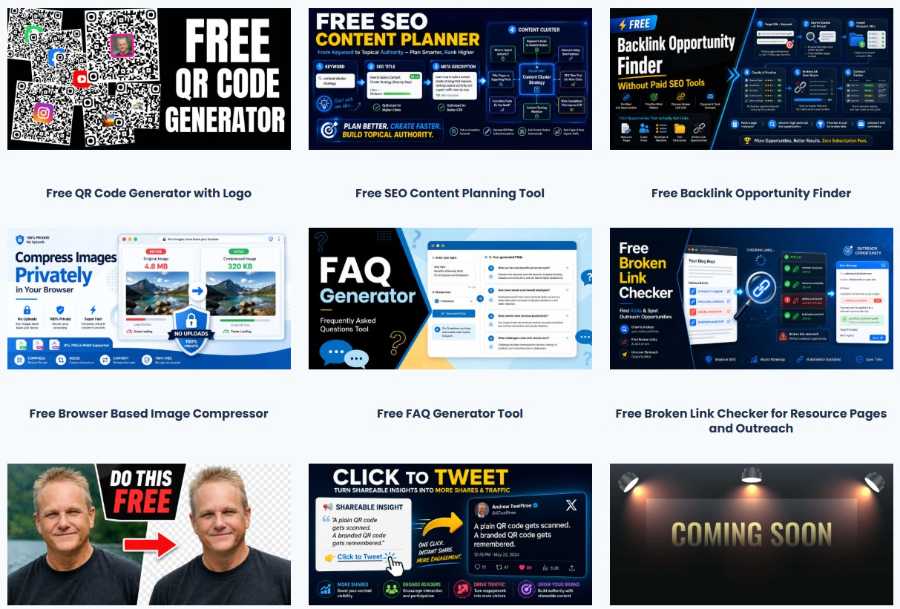
That is why this free FAQ Generator tool works best as one piece of the bigger puzzle. Use it to create better FAQ sections, then combine it with the other free blogging and SEO tools I have built for content creators, bloggers, and website owners.
Once the FAQ section is live, you can keep improving the page by finding realistic backlink opportunities, checking useful resource pages with the Free Broken Link Checker, and turning strong one-liners into shareable snippets with the Click To Tweet Generator Tool.
👉 Explore More Free SEO Tools for Bloggers and Content Creators
If you want to speed up more of your content workflow, pop over to the tools page and check out the full suite of free SEO and blogging tools available on the site.
Frequently Asked Questions
What is an FAQ generator tool used for?
An FAQ generator tool helps you create useful question-and-answer sections for blog posts, product pages, service pages, tutorials, and other SEO content. Instead of guessing what readers might ask next, you can use the tool to turn a topic into practical FAQs that support the main article. A good FAQ section can clarify confusing points, answer objections, cover related search terms, and make the page more helpful without bloating the main body of the post.
Can FAQs help a blog post rank better in search?
FAQs can help a blog post become more complete because they answer extra questions that may not fit naturally in the main article. This can improve topical coverage, match more long-tail search intent, and keep readers on the page longer. However, FAQs should not be treated as keyword-stuffing blocks. They work best when each question solves a real problem, expands the topic, and gives readers a genuinely useful answer.
How many FAQs should I add to a blog post?
There is no perfect number, but most blog posts only need enough FAQs to answer the strongest remaining reader questions. For a simple post, five to eight FAQs may be plenty. For a detailed guide, tool page, review, or tutorial, ten to twelve strong FAQs can make sense. The goal is not to hit a number. The goal is to improve the article without adding repetitive filler.
What makes a good FAQ question?
A good FAQ question sounds like something a real reader would ask after reading the article. It should be clear, specific, and connected to the topic. Strong questions often cover beginner confusion, practical next steps, comparisons, mistakes, objections, or search-intent gaps. Weak FAQ questions usually exist only to repeat the keyword or create extra content. If the answer does not add anything useful, the question probably should not be included.
Should I use the exact keyword in every FAQ?
No. Using the exact keyword in every FAQ usually makes the section sound unnatural and keyword-stuffed. Search engines are better at understanding related language than they used to be, so you can use natural variations, partial phrases, and semantically related terms instead. For example, a page about an FAQ generator tool can also mention FAQ sections, blog questions, SEO content, reader intent, helpful answers, and WordPress formatting.
Can FAQ sections help with internal linking?
Yes, FAQ sections can create natural internal linking opportunities when a short answer touches on a topic that deserves a deeper explanation elsewhere. For example, an FAQ about improving blog SEO could link to a beginner SEO guide, while an FAQ about adding contextual links could point to an internal linking tutorial. The link should help the reader continue learning. Do not add links just because you want more links on the page.
Should I add internal links inside every FAQ answer?
No. Adding internal links inside every FAQ answer can make the section feel cluttered and forced. It is better to link only when the answer naturally introduces a related topic that deserves more detail. Some FAQs should simply answer the question and move on. A clean FAQ section with a few useful internal links is usually stronger than a link-heavy section that distracts from the reader’s question.
Can a free FAQ generator replace keyword research?
No. A free FAQ generator can help you turn a topic into useful questions, but it should not completely replace keyword research, competitor review, or real audience insight. It works best as a content expansion tool. You can use it after choosing your topic to uncover missing angles, improve reader usefulness, and build a better FAQ section around the main search intent.
How do I make generated FAQs sound less robotic?
To make generated FAQs sound less robotic, edit them like a human reader will actually use them. Remove repeated phrases, shorten bloated answers, vary sentence structure, and add practical details. You can also replace stiff wording with clearer language. A useful test is to ask whether the answer would help someone who is genuinely confused. If it only sounds like SEO filler, rewrite it or delete it.
How do I choose which generated FAQs to keep?
Keep the FAQs that answer real reader questions, add new information, and support the article’s purpose. Remove anything repetitive, vague, awkward, or too similar to another question. You can also prioritize questions that help beginners, clear up objections, explain practical steps, or point toward a useful next action. A shorter FAQ section with strong answers is better than a long section filled with weak questions.
Should I add FAQ schema to my blog post?
FAQ schema can help search engines understand the question-and-answer structure of your page, but it should only be used when the FAQs are visible on the page and genuinely match the content. Do not use schema to mark up hidden, misleading, or unrelated questions. If you use a WordPress SEO plugin or schema tool, follow its instructions carefully and check that the final page displays correctly.
What should I do after creating my FAQ section?
After creating your FAQ section, review it before publishing. Check for repeated questions, awkward keyword use, thin answers, missing internal link opportunities, and any claims that need verification. Then format the section clearly on the page so readers can scan it easily. Over time, you can update the FAQs based on search queries, reader comments, sales objections, or new supporting posts in your content cluster.


